- Checking whether a company matches a record in our database.
- Getting a first look before you commission research.
- Seeing a record's status and when its data was last updated.
- Deciding whether a company is worth monitoring or ordering a report on.
ABIS Platform · Quick Database Screening
Check a company against records we already hold.
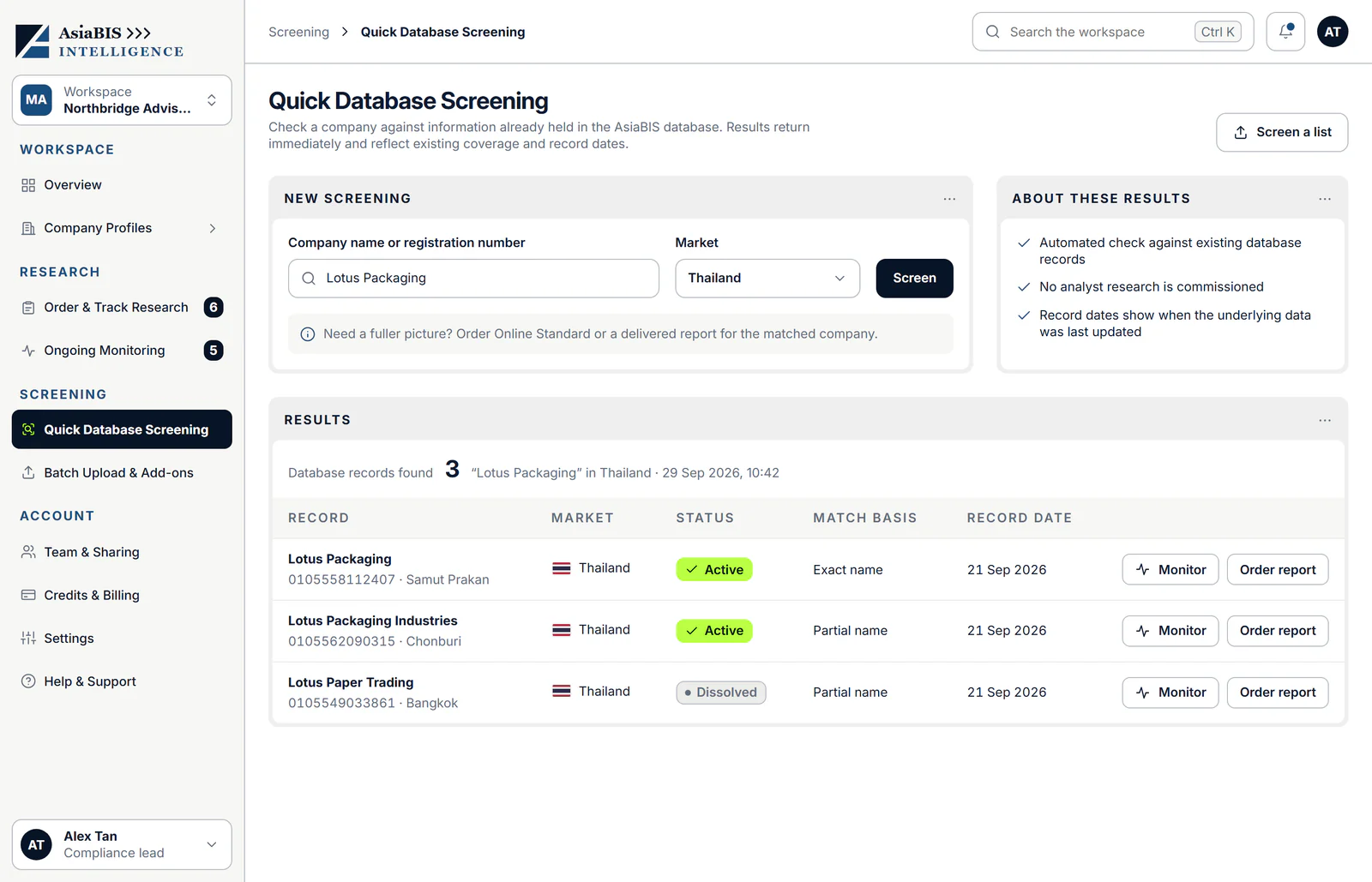
Search by company name or registration number and see the matching database records at once, each with its status, how it matched and when the record was last updated. It is an automated check of existing records, so no new research is commissioned.
Launching soon. Results reflect existing database coverage and record dates; datasets and matching rules are confirmed at launch.
- Result
- At the time of orderingResults return at once.
- Source
- Existing recordsInformation already held in the AsiaBIS database.
- Research
- None commissionedOrder a report when you need more.
- Availability
- Launching soonRegister interest to hear when it opens.
What you can do
A first look, in two steps.
Quick Database Screening is one screen in the workspace. Here is what it shows.
01
Search by name or registration number.
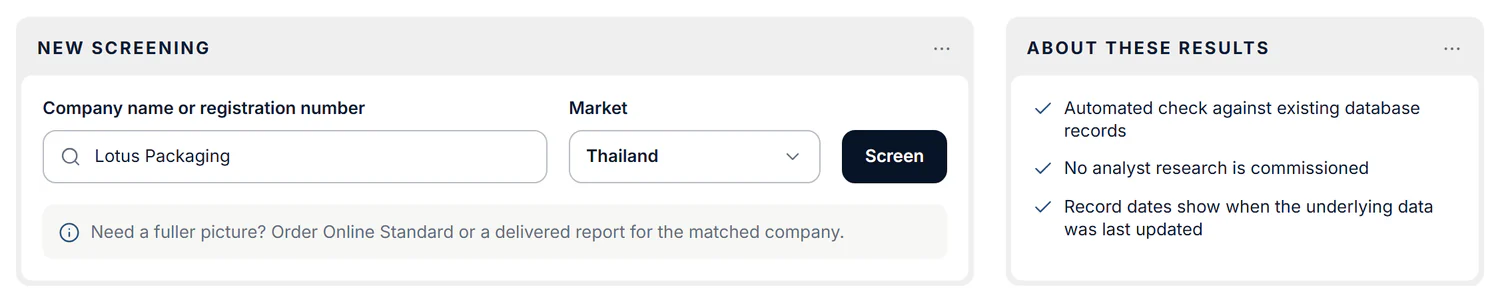
Enter a company name or registration number, choose the market and screen. The screen also says what the results are: an automated check against existing database records, with no analyst research commissioned. To screen a list, use Batch Upload & Add-ons.
02
See every matching record, and act on it.
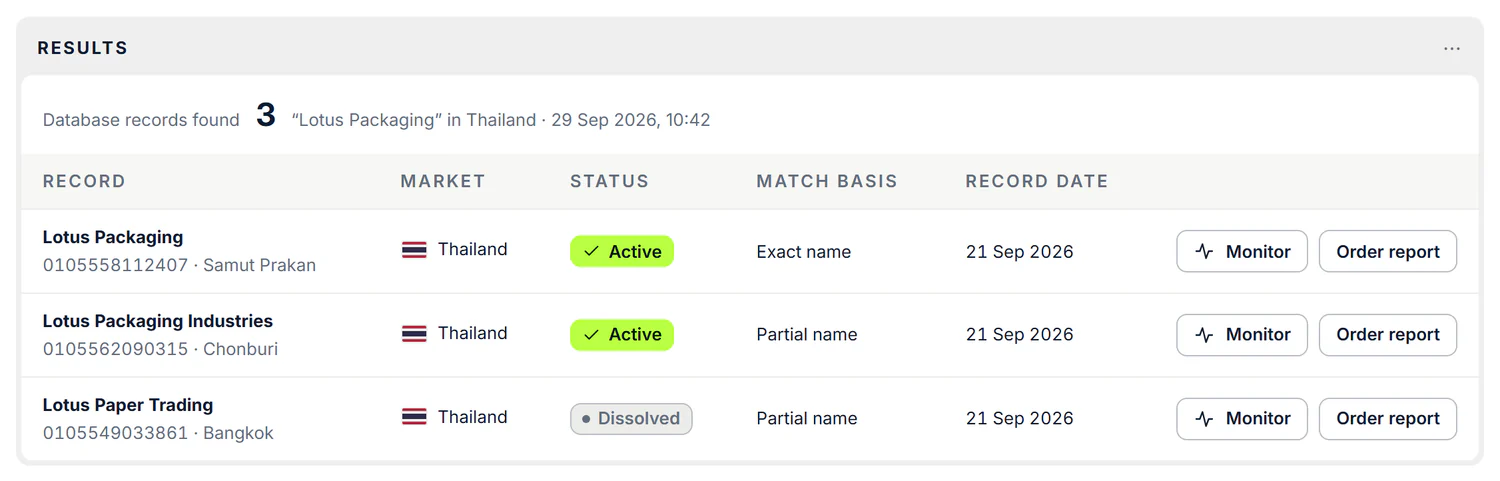
Each result shows the record, its market, its status (such as active or dissolved), how it matched (an exact or partial name) and its record date, which tells you when the underlying data was last updated. Start monitoring a company or order a report straight from a result. For a fuller picture, order Online Standard or a delivered report for the matched company.
Is this the right tool?
When you want a fast first look.
Quick Database Screening checks records we already hold. It is a first look, not research on the company.
- You need analyst research on the company. See Due diligence reports
- You need to check a whole list of companies. See Batch Upload & Add-ons
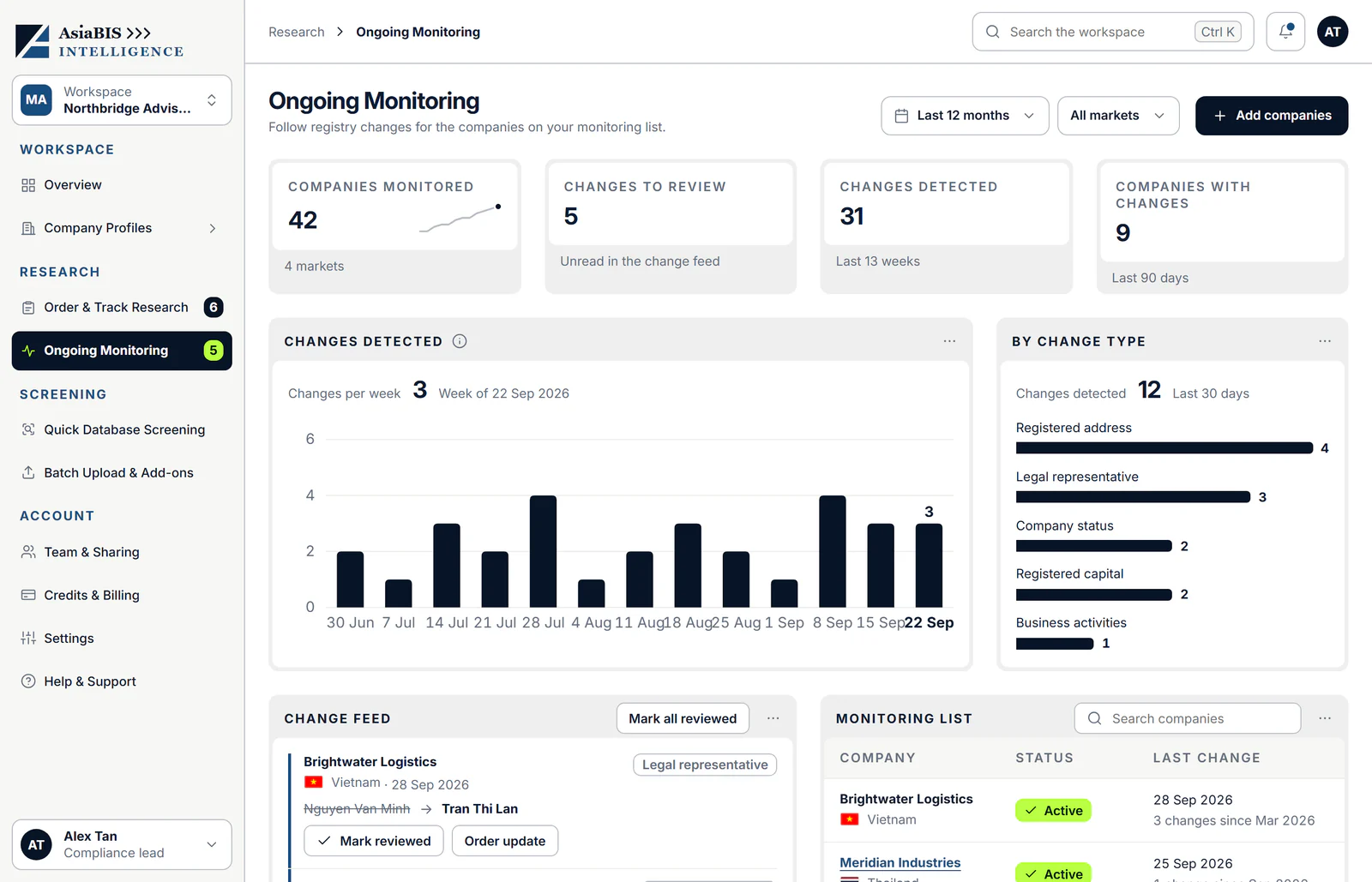
- You need to follow changes to a company over time. See Ongoing Monitoring
How it works
From search to next step.
Screening checks records we already hold, so nothing is commissioned.
- 01Search
Enter the company
Type a company name or registration number and choose the market.
- 02At once
Screen the database
Results return at once from information already held in the AsiaBIS database.
- 03Review
Check each record
See each record's status, how it matched and its record date.
- 04Next step
Monitor or order a report
Start monitoring from a result, or order Online Standard or a delivered report for a fuller picture.
More in ABIS Platform
The rest of the workspace.
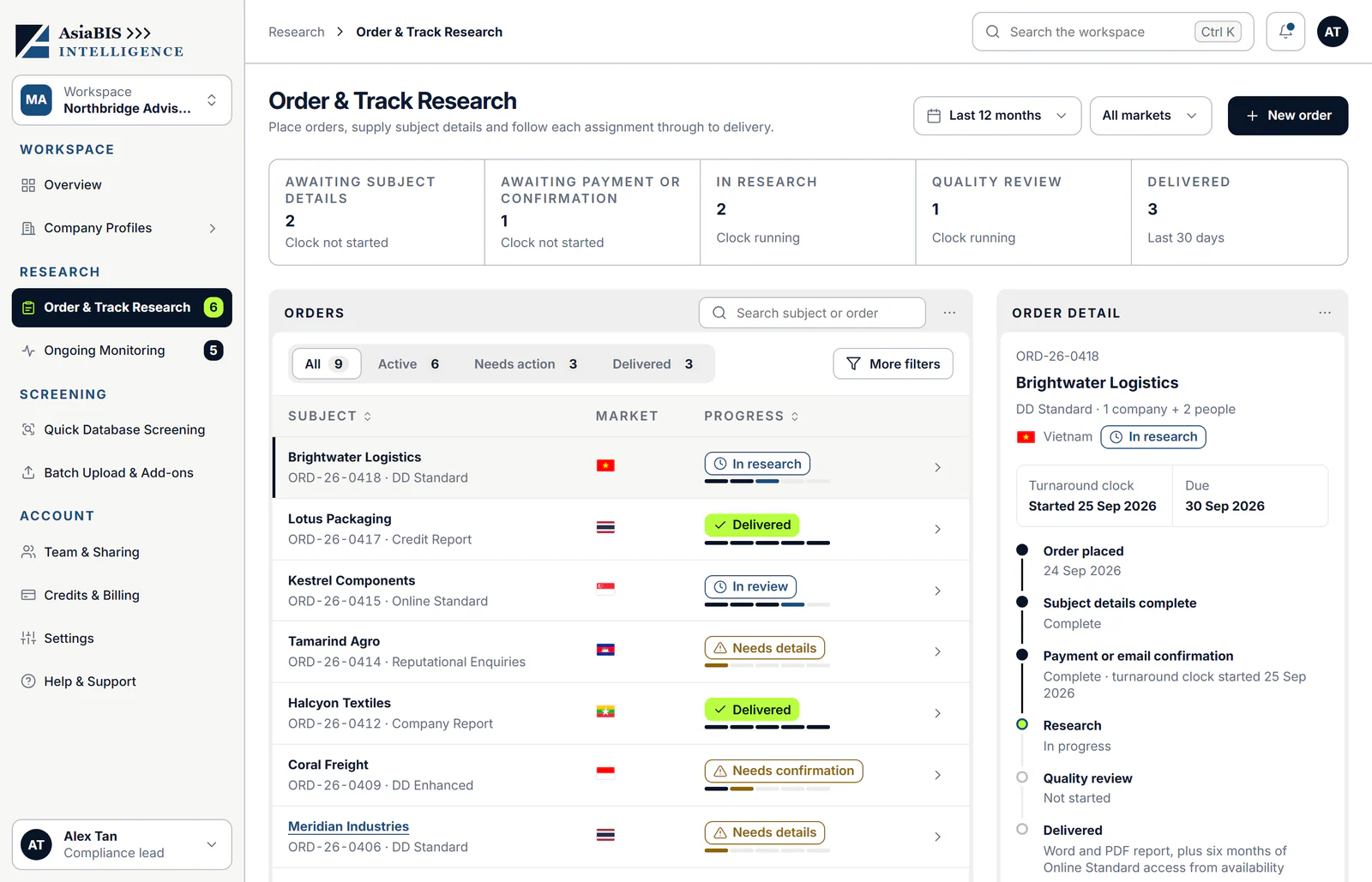
Every product shares one workspace, so an order, a screening result or a monitored company is never far from the next step.
Questions & answers
What people ask about Quick Database Screening.
Clear answers about what it does, what it costs and when it launches. Something not covered here? Talk to an analyst.
What is Quick Database Screening?
An automated check of a company name or registration number against information already held in the AsiaBIS database. It shows each matching record with its status, match basis and record date.
Is any new research done?
No. No analyst research is commissioned. For a fuller picture, order Online Standard or a delivered report for the matched company.
How quickly do I get results?
They return at the time of ordering. The check runs against existing records, so it does not wait for an analyst.
What does each result show?
The record's name, registration number and location, its market, its status (for example active or dissolved), the match basis (for example exact name or partial name) and the record date.
What does the record date mean?
It shows when the underlying data was last updated, so you can judge how current a record is.
Does it include sanctions, watchlist or PEP screening?
No. Quick Database Screening checks existing database records only. Sanctions, watchlist and PEP screening are part of DD Standard and Enhanced, and of Online Standard. See due diligence reports
Can I screen many companies at once?
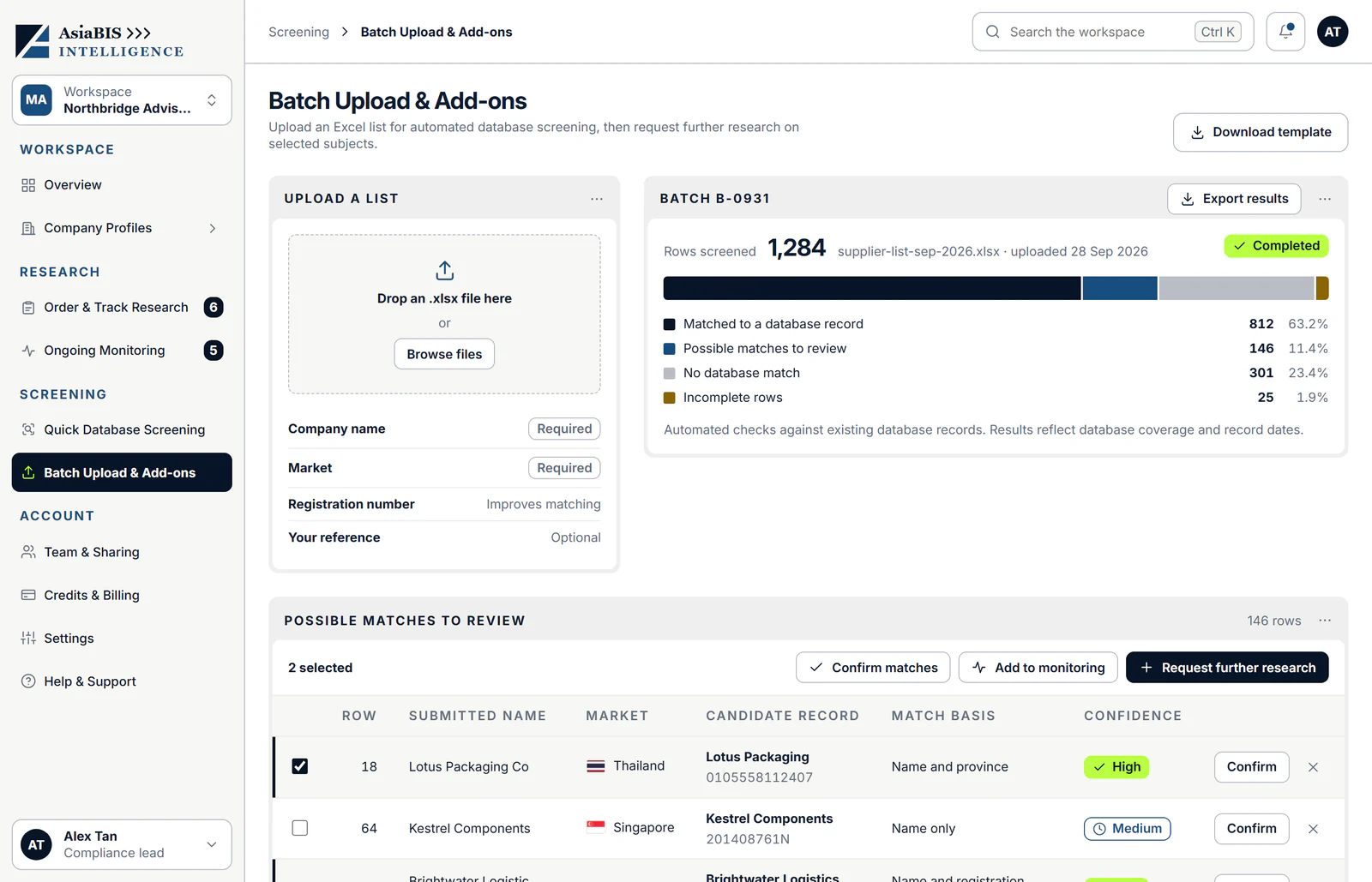
Yes. Batch Upload & Add-ons screens an Excel list against the same database, even hundreds of companies at a time. See Batch Upload & Add-ons
How much does it cost?
Pricing for screening is confirmed at launch. Reports you order from a result cost the same as Delivered Reports, and you can buy credits for a discount.
Which markets can I screen?
The screen lets you choose a market. Coverage and datasets are confirmed at launch.
When does ABIS Platform launch?
Soon. Register interest and we will let you know when it opens. Register interest