- Screening a list of suppliers, customers or vendors.
- Finding which companies in a list need a closer look.
- Cleaning up a list before you commission research.
- Sending only the companies that matter for further research.
ABIS Platform · Batch Upload & Add-ons
Screen a whole list, then go deeper.
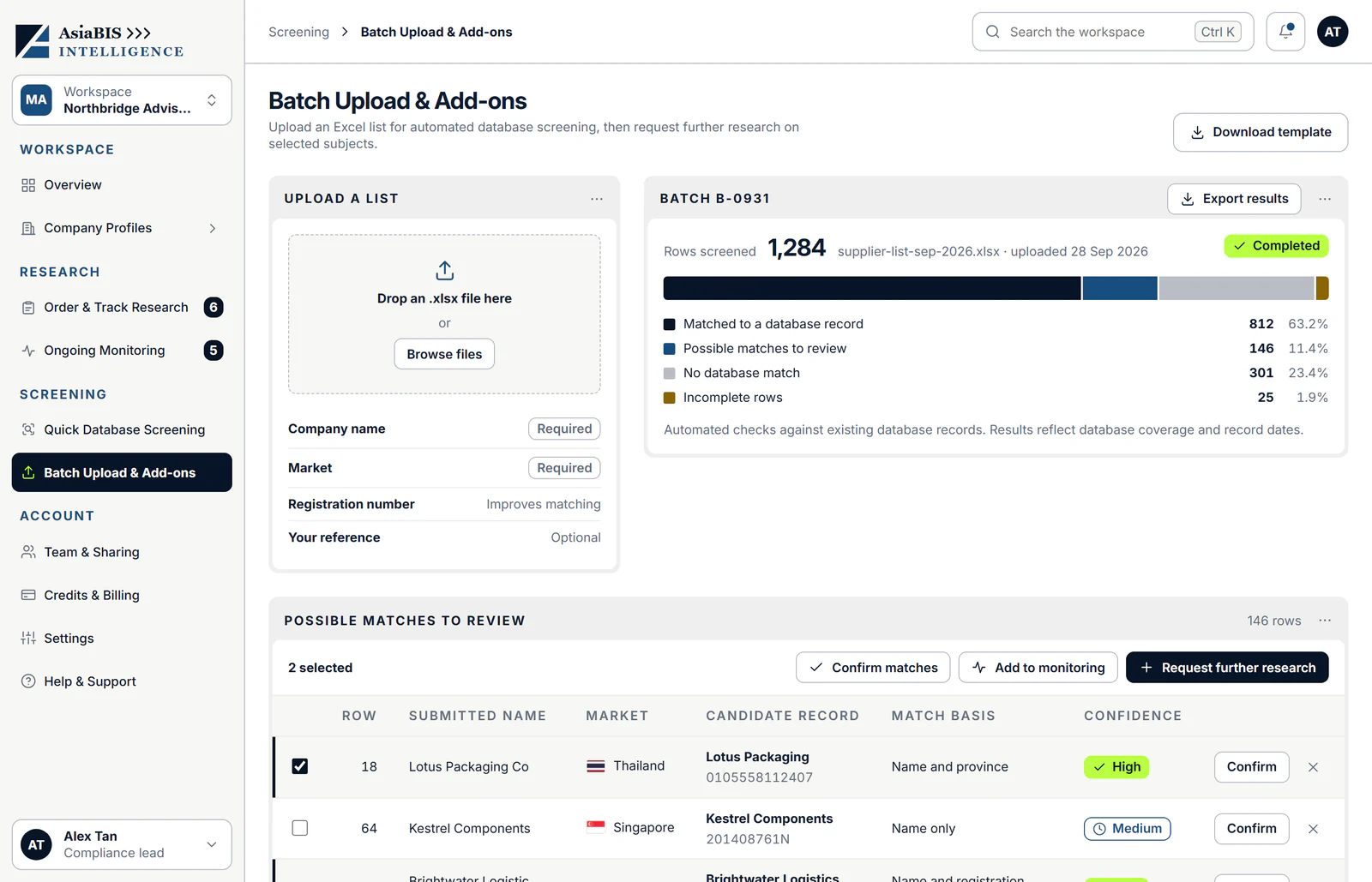
Upload an Excel list of companies for automated database screening, even hundreds at a time. See which rows matched, which need review and which have no record, then confirm matches, add companies to monitoring or request further research on selected subjects.
Launching soon. File requirements and row limits are confirmed at launch.
- Input
- An Excel listDownload the template, then upload your .xlsx file.
- Scale
- Hundreds at a timeRow limits are confirmed at launch.
- Result
- Four outcomesMatched, possible match, no match or incomplete.
- Availability
- Launching soonRegister interest to hear when it opens.
What you can do
From a spreadsheet to a shortlist.
Batch Upload & Add-ons is one screen in the workspace. Here is what it shows.
01
Upload your list and see how it came out.
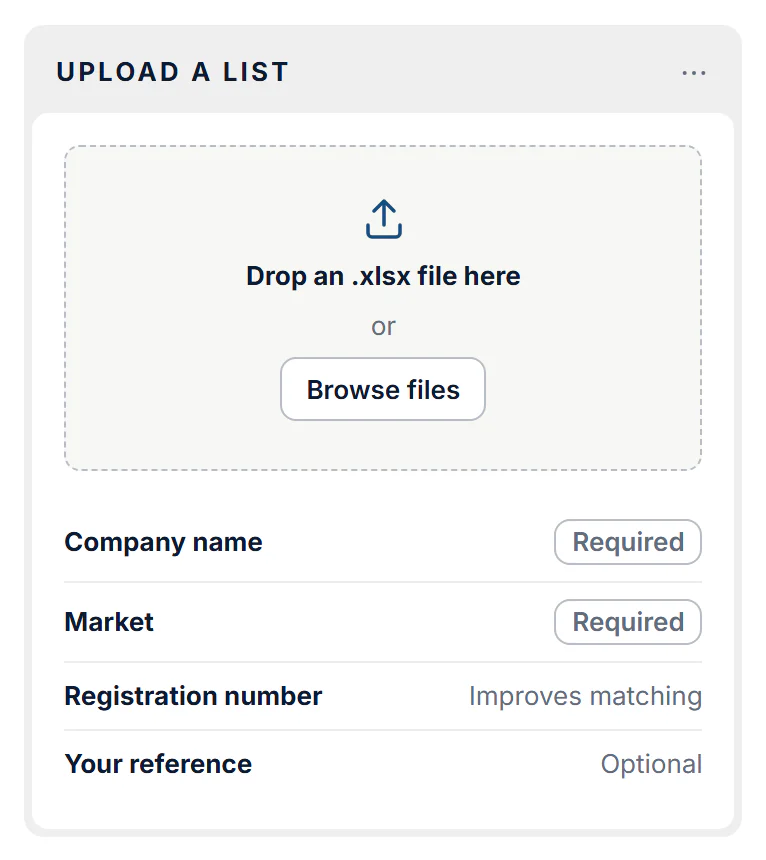
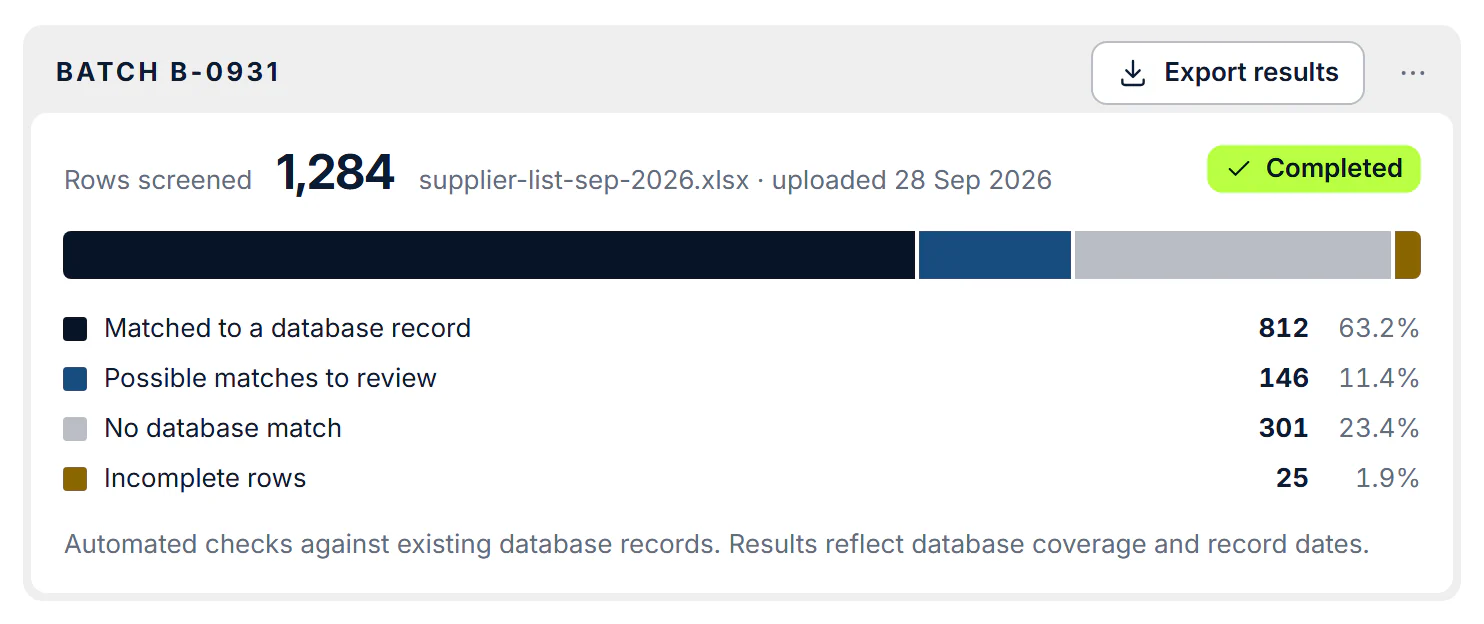
Drop an .xlsx file or browse for it. Each row needs a company name and a market; a registration number improves matching, and you can add your own reference. A completed batch shows how many rows matched a database record, are possible matches to review, have no database match or are incomplete, with counts and percentages. You can export the results.
02
Review possible matches, then go deeper.
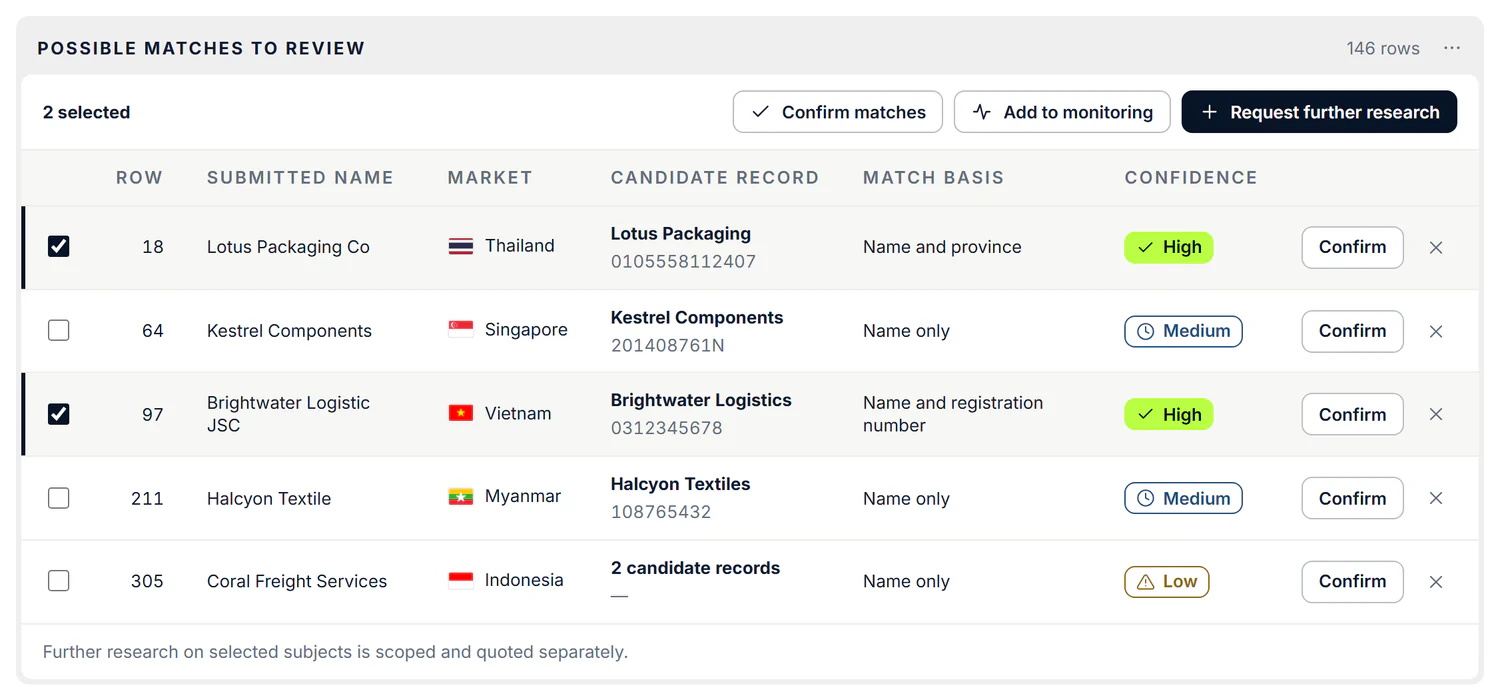
Work through the possible matches. Each row shows the name you submitted, the candidate record, how it matched and a confidence level. Confirm the right record or reject the wrong one, add companies to monitoring, or request further research on selected subjects. Further research is scoped and quoted separately.
03
Keep a record of every batch.
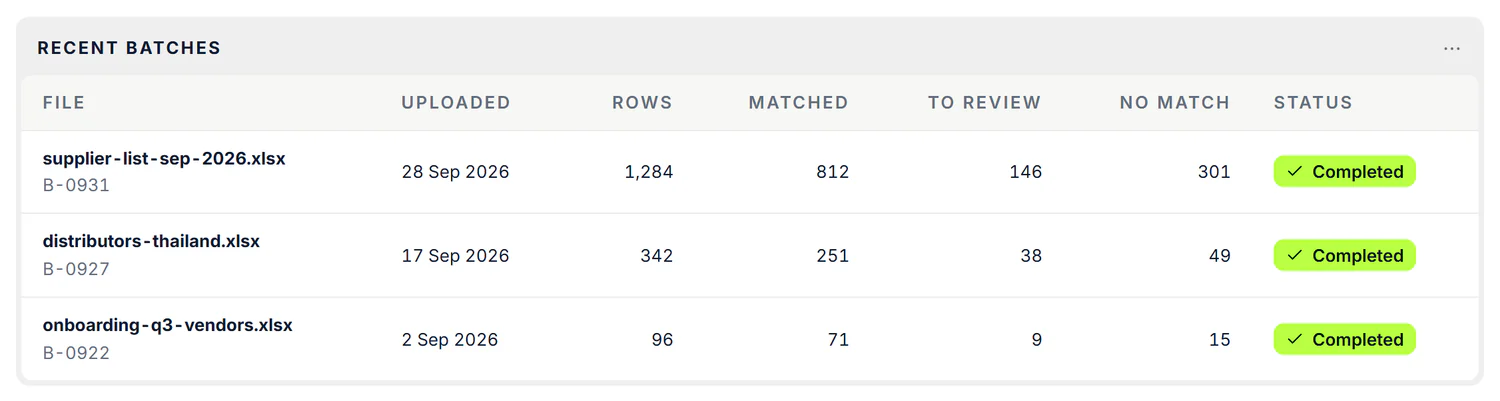
Recent batches list each file with its upload date, its rows and how many matched, need review or have no match, so you can see every batch at a glance.
Is this the right tool?
When you have more than one company to check.
Batch screening compares a list against records we already hold. It tells you where to look closer; it is not research on each company.
- You want to check one company right now. See Quick Database Screening
- You need analyst research on every company in the list. See Due diligence reports
- You need to follow changes to companies over time. See Ongoing Monitoring
How it works
From list to shortlist.
Screening is automated and checks existing database records, so there is no research to wait for.
- 01Prepare
Fill in the template
Download the template and add a company name and market for each row. A registration number improves matching; your own reference is optional.
- 02Upload
Drop in your .xlsx file
Drop the file or browse for it. The list is screened against existing database records.
- 03Review
See how it came out
See how many rows matched, need review, have no match or are incomplete, and work through the possible matches.
- 04Go deeper
Choose what happens next
Confirm matches, add companies to monitoring or request further research on selected subjects.
More in ABIS Platform
The rest of the workspace.
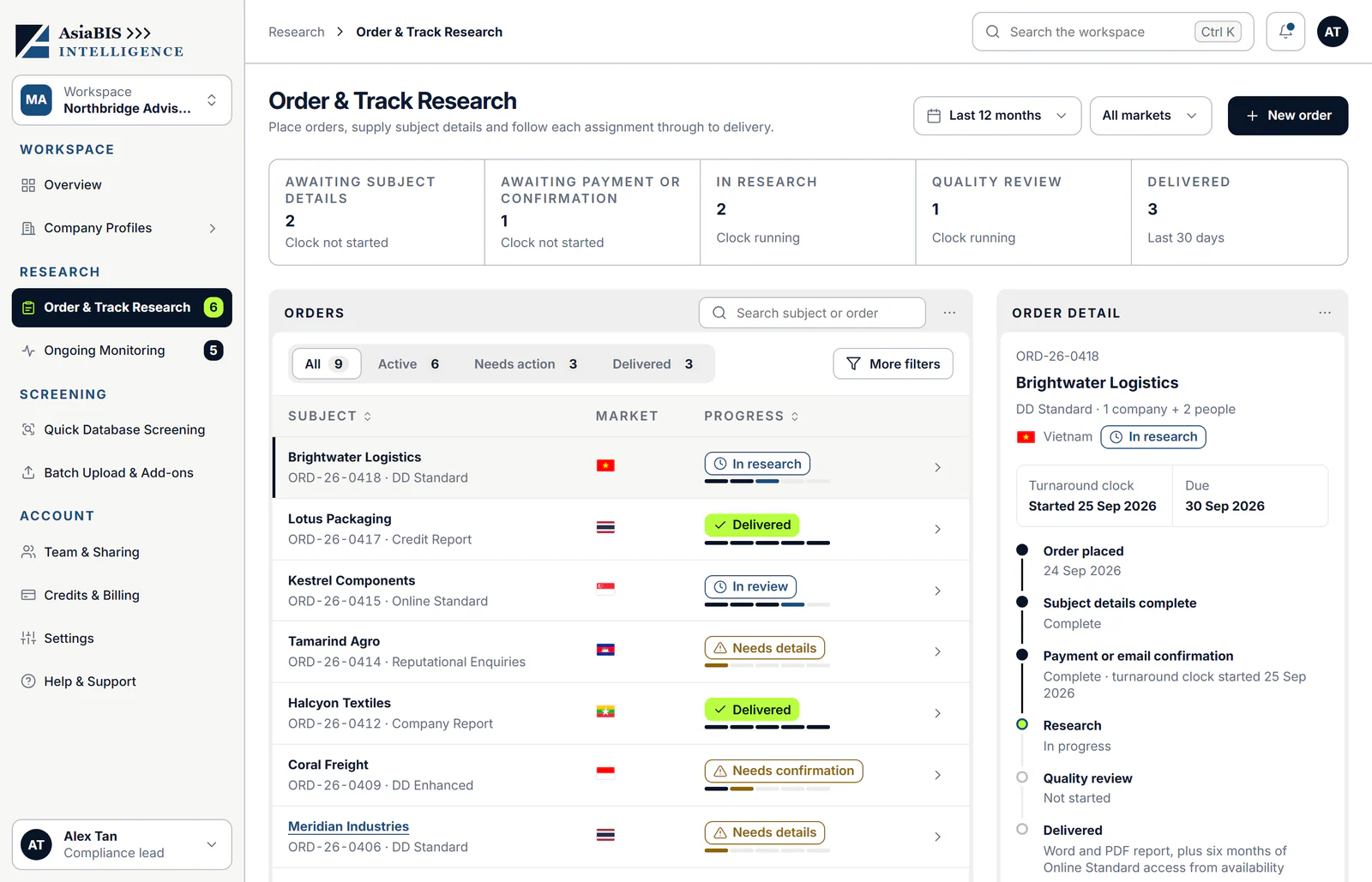
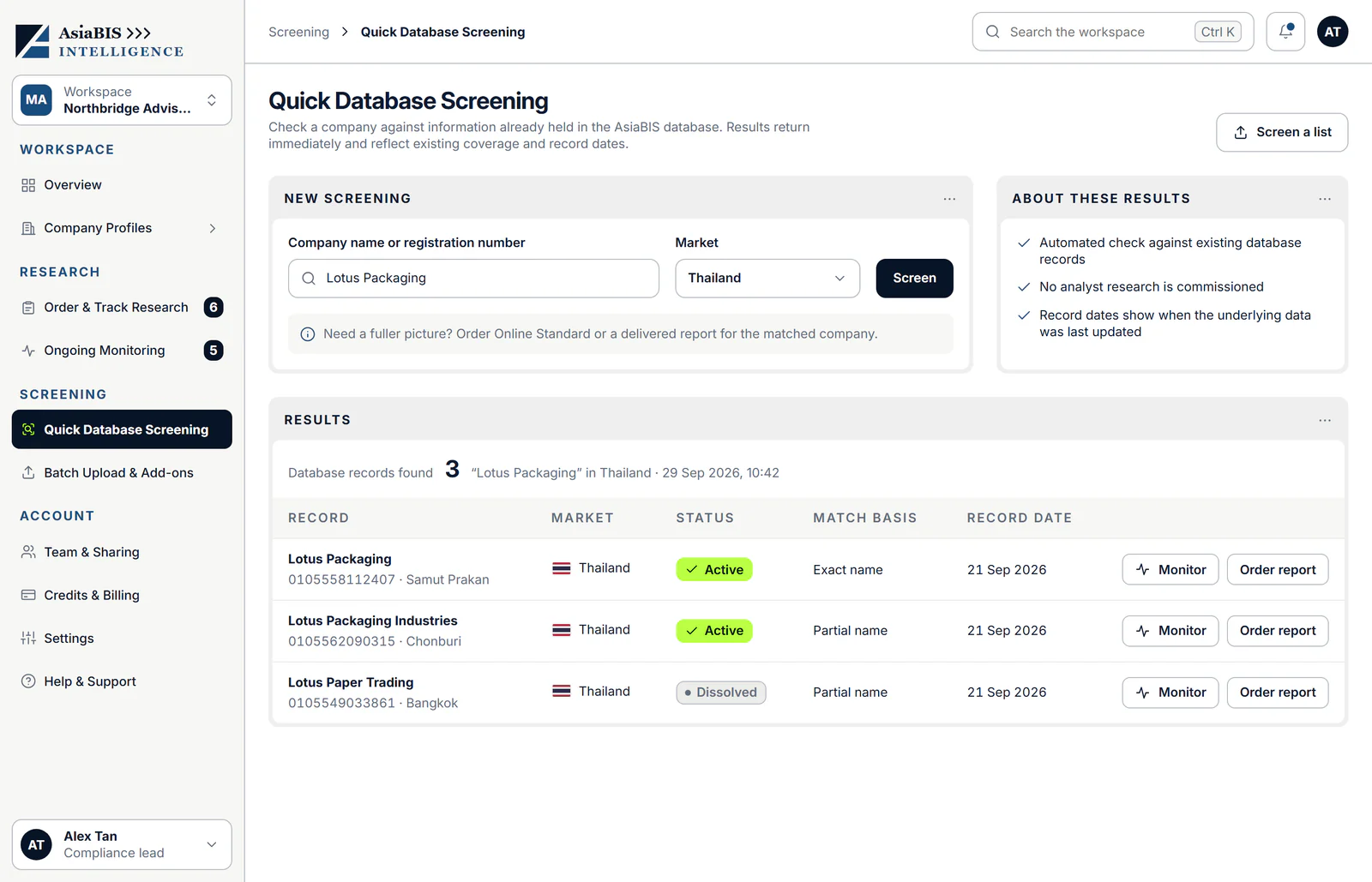
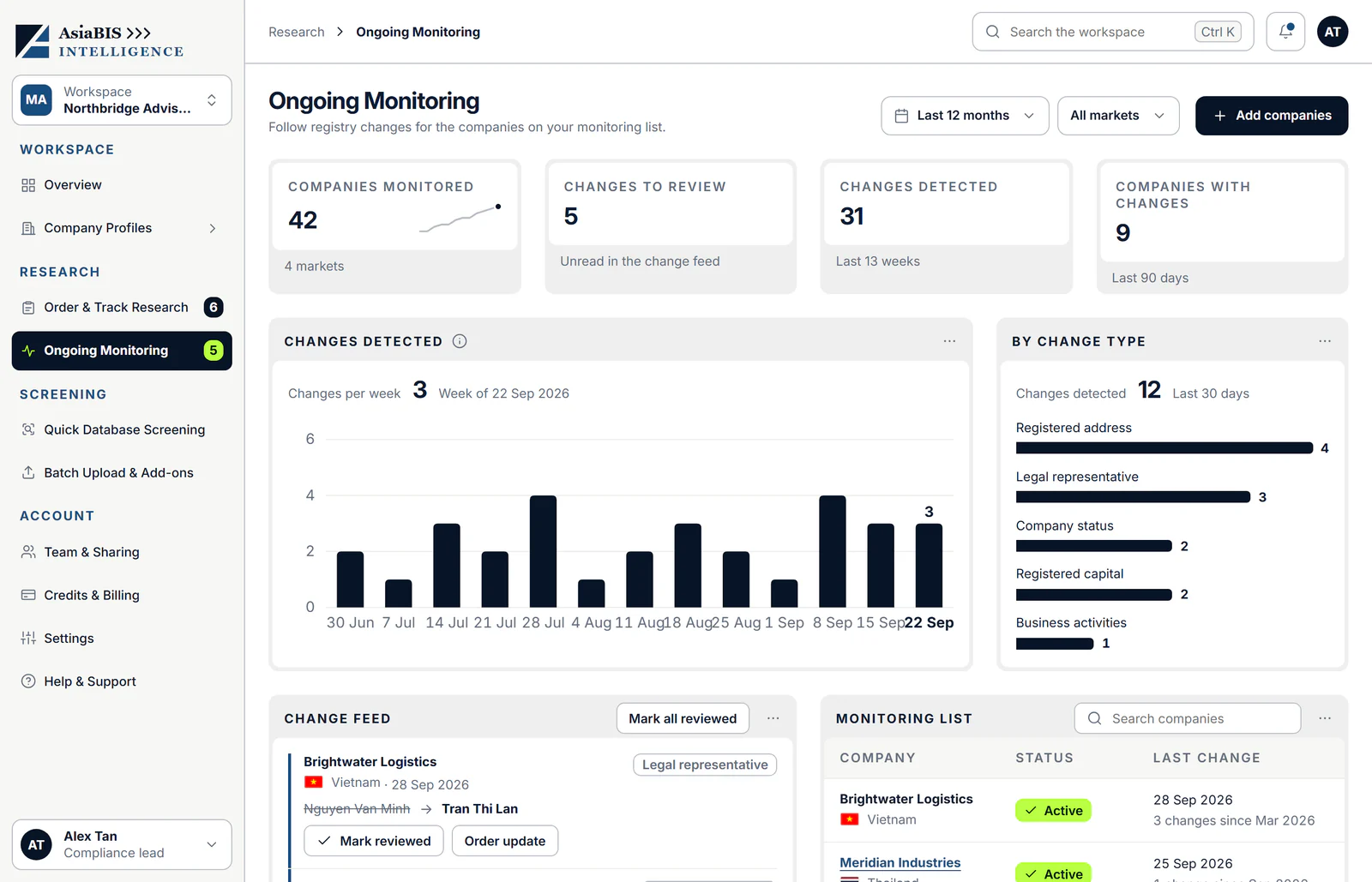
Every product shares one workspace, so an order, a screening result or a monitored company is never far from the next step.
Questions & answers
What people ask about Batch Upload & Add-ons.
Clear answers about what it does, what it costs and when it launches. Something not covered here? Talk to an analyst.
What is Batch Upload & Add-ons?
A way to screen a whole Excel list of companies against existing database records, then request further research on the companies that matter.
What file do I upload?
An Excel (.xlsx) list. Download the template to see the columns: company name and market are required, a registration number improves matching and your own reference is optional.
How many companies can I upload?
You can screen lists with hundreds of companies at a time. File requirements and row limits are confirmed at launch.
What do the four outcomes mean?
Matched means a database record was found. A possible match has a candidate record for you to confirm or reject. No database match means no record was found. An incomplete row is missing required information.
How do I review possible matches?
Each possible match shows the name you submitted, the candidate record, how it matched and a confidence level. Confirm the right record, or reject a wrong one.
Is any research done?
The screening is automated against existing database records, so no analyst research is commissioned. Further research on selected subjects is scoped and quoted separately.
What are the add-ons?
Add-ons are further research you request on selected subjects after screening. Each is scoped and quoted separately.
Can I add companies from a batch to monitoring?
Yes. Select the rows and choose Add to monitoring. See Ongoing Monitoring
How much does it cost?
Pricing for batch screening is confirmed at launch. Further research is scoped and quoted separately, and you can buy credits for a discount.
When does ABIS Platform launch?
Soon. Register interest and we will let you know when it opens. Register interest